How Many Customers Will My Ad Budget Get Me? The Simple Math
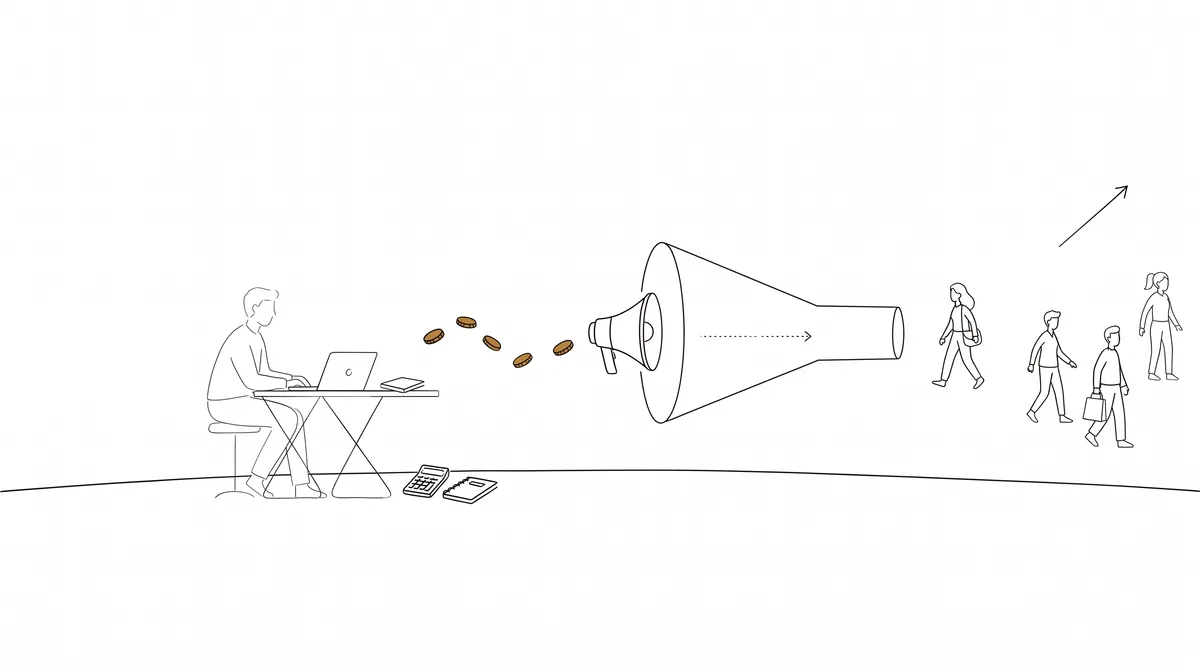
Every ad budget turns into customers through the same three-step chain. Learn the chain once and you can sanity-check any marketing plan, agency proposal or ad platform promise for the rest of your life.
The chain: money to eyeballs to clicks to customers
- ·Step 1: Money buys impressions. At a $10 CPM (typical for US social ads), $300 shows your ad about 30,000 times.
- ·Step 2: Impressions become clicks. At a 1% click rate, 30,000 impressions produce about 300 clicks to your page.
- ·Step 3: Clicks become customers. At a 2% conversion rate, 300 visitors produce about 6 customers.
So a $300 US social budget typically buys somewhere around 4-10 customers, depending on your industry, your offer and how good your page is. That range is not a failure of the math; it is the honest truth of it. Anyone who gives you one exact number is guessing with confidence.
Work the chain backwards too: if you NEED 20 customers a month and your numbers say $50 per customer, you need a $1,000 budget or a cheaper channel. Better to know before you spend.
Why the same budget behaves differently by country
Ad costs vary enormously by market. US CPMs are among the highest in the world; the same $300 in many other countries buys five to ten times the impressions. A budget that produces 6 customers in the US might produce 30-60 somewhere ads are cheaper. If you sell online across borders, this changes where you should spend first.
Why search ads and social ads price differently
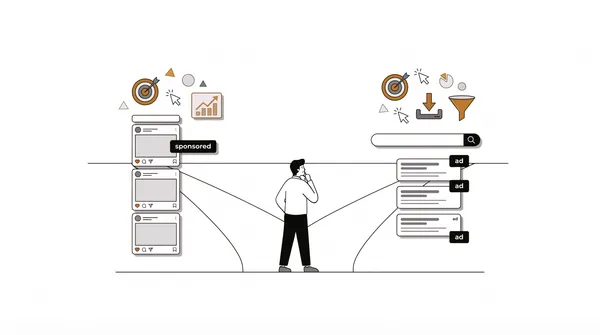
Social ads interrupt people who were not looking for you: cheap to show, slower to convert. Search ads catch people actively looking ("plumber near me"): expensive per click, but far more of them buy. High-intent search clicks in competitive industries can cost far more than a social click and still be worth it, because a good share of those callers are ready to book. Neither is better; they are different tools for different moments.
The two numbers that decide if any of this works
Cost per customer (what the chain says a customer costs you) and profit per customer (what a customer is worth to you). If profit is bigger, scale up. If it is smaller, do not spend more; fix the offer, the page or the channel first. Every good marketing decision is some version of comparing those two numbers.
Two ways to run the numbers, and why they differ
There are two common ways to estimate leads from a search ad budget. The first divides your budget by the average cost per lead. The second divides it by the cost per click, then applies the conversion rate. They should be close, but real-world averages do not line up perfectly, so treat the two answers as a range. Here is a $500 monthly budget on Google Ads search in four industries, using LocaliQ's 2026 averages:
| Industry | Cost per click | Conversion rate | Leads: clicks x rate | Leads: budget / cost per lead |
|---|---|---|---|---|
| Restaurants and food | $2.05 | 8.05% | about 20 | about 16 |
| Dentists and dental services | $8.00 | 10.67% | about 7 | about 7 |
| Home and home improvement | $8.33 | 8.05% | about 5 | about 5.5 |
| Attorneys and legal services | $9.87 | 5.55% | about 3 | about 4 |
So a $500 budget buys somewhere between roughly 3 and 20 leads depending on the industry, which is exactly why a single "typical" number is misleading. Enter your own industry and figures in the advertising budget calculator, where you can also edit the cost per click and cost per lead if you know yours.
From leads to customers: the close rate
A lead is not a customer. The last link in the chain is the share of leads you close. For example, 5 leads at a 30% close rate is about 1.5 customers. If each customer is worth $400 in first-sale revenue, that is about $600 from a $500 budget, a return of 1.2 times. If customers come back, the real value is higher. If you close only 10% of leads, the same budget produces fewer than one customer, and the plan loses money on the first sale.
This is why close rate is so powerful. Answering faster, following up, and giving clear prices can raise it without spending another dollar on ads. Work out the break-even close rate for your business by dividing the cost per lead by the value of a sale.
Planning backwards from the customers you need
- 1.Decide how many customers you need each month to hit your goal.
- 2.Divide by your close rate to find how many leads you need. For example, needing 10 customers at a 25% close rate means 40 leads.
- 3.Multiply by your cost per lead to find the budget. 40 leads at $90.92 is about $3,637 a month.
- 4.Compare that budget with what you can spend. If it is too high, lower the target, raise your close rate, or find a cheaper channel before you spend anything.
Working in this direction makes the trade-offs obvious. If the budget you need is far more than you can afford, the answer is not to hope. It is to change one of the three levers: leads, close rate or cost per lead.
A worked example for a service business
For example, suppose a home improvement contractor spends $800 a month on Google Ads, closes 1 in 4 leads, and earns about $1,200 from the first job. Using LocaliQ's average cost per lead of $90.92:
| Step | Calculation | Result |
|---|---|---|
| Leads | $800 divided by $90.92 | about 8.8 leads |
| Customers | 8.8 leads at a 25% close rate | about 2.2 customers |
| First-job revenue | 2.2 customers at $1,200 | about $2,640 |
| Cost per customer | $800 divided by 2.2 | about $364 |
| Return on ad spend | $2,640 divided by $800 | about 3.3 times |
On those numbers the first job more than covers the ad cost, and every repeat job is a bonus. The break-even close rate is the cost per lead divided by the job value, about 7.6%, so there is plenty of room before the plan stops working. A contractor in a more expensive city, or with a lower close rate, would see a very different picture, which is why you should swap in your own numbers. Run the same steps for your business, and if the result looks thin, test changes to the close rate and the job value before you raise the budget, because those two levers usually cost far less than buying more clicks.
Where the chain breaks
- ·Clicks that do not convert: the page does not match the ad, loads slowly, or hides the next step.
- ·Leads that do not buy: the wrong people, a price shock, or too slow a response.
- ·Costs that creep up: more competitors bidding, a seasonal peak or ads showing for the wrong searches.
- ·Averages that do not fit you: your city, your trade and your offer can all sit well above or below an industry average. Update the numbers with your own as soon as you have them.
Search ads versus social ads in the chain
The same arithmetic works for social ads, but the inputs differ. Social ads usually cost less per person reached and convert a smaller share of clicks, because the people were not looking for you. Search ads cost more per click and convert a larger share, because they were. The comparison of Facebook and Google ads explains which to start with, and the marketing budget calculator helps you set the total.
Frequently asked questions
How many leads will a $500 ad budget get me?
It depends on your industry. On Google Ads search, LocaliQ's 2026 averages suggest anywhere from about 3 leads in legal services to about 16 to 20 in restaurants and food. Use your own industry in the advertising budget calculator.
Why are my results different from the average?
Averages blend thousands of campaigns with different markets, offers and skill. Your city, season, landing page and response speed all move the numbers. Treat the average as a starting estimate and replace it with your own data.
How long should I run ads before judging them?
Long enough to collect a meaningful number of clicks and leads, usually several weeks, since the first days include learning time. Judge cost per customer rather than clicks alone.
Should I include my own time in the cost?
For a true picture, yes. Add the value of your time and any agency or software fees, then divide by customers. The CAC calculator shows the fully loaded version.
Get the chain calculated for your business
The free tool runs this exact math for your business type, budget and country using current industry benchmarks, and shows every formula. Sixty seconds, no signup.
Get a marketing plan for your business
Channels, budget math, audience, and hidden platforms, matched to your exact business and country. Free, no signup.
Build my free strategyRelated business guides