Google Business Profile: The Free Channel Most Local Businesses Waste
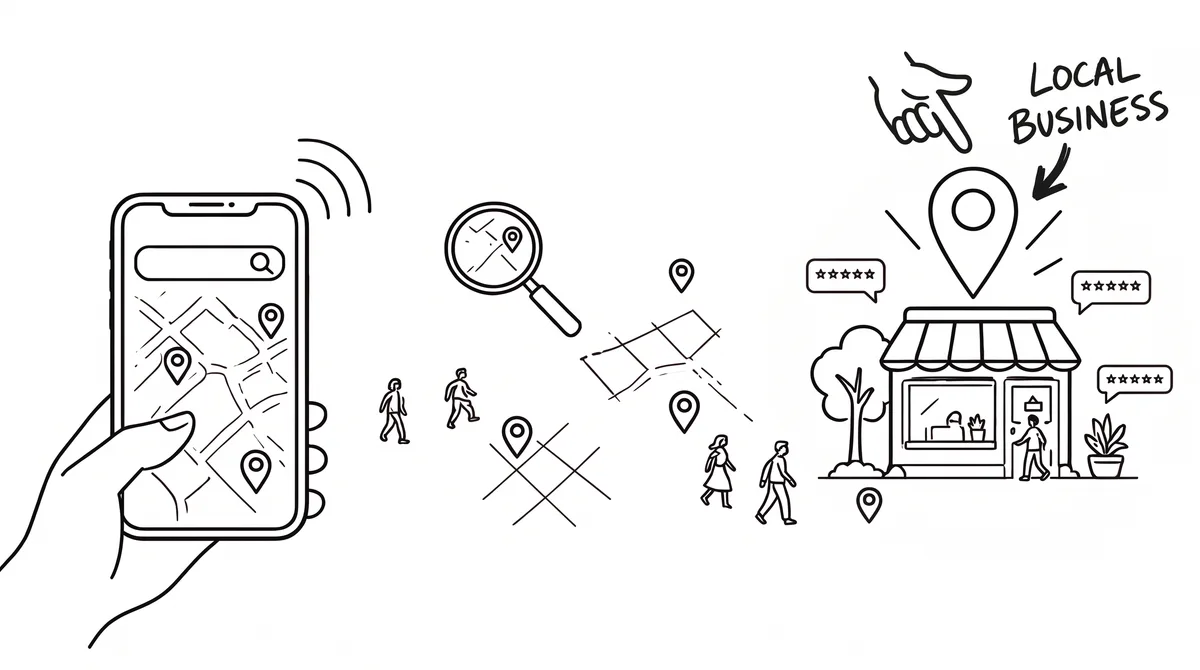
Every day, people within walking distance of your business search Google for exactly what you sell: "coffee near me", "emergency plumber", "yoga studio". Google answers with a map and three businesses. Getting into those three costs nothing and beats almost any paid ad, because the searcher already wants to buy right now.
Why this is the highest-intent channel you have
A social media ad interrupts someone relaxing. A "near me" search is someone with their wallet out asking Google where to go. No other channel, free or paid, catches people that close to buying. For most local businesses this single free profile outperforms their entire ad budget.
The setup most businesses get wrong
- ·Claim and verify the profile (google.com/business), then complete every field: exact hours, services, attributes, service area
- ·Upload 15+ real photos: the space, the work, the people. Real, fresh photos make a profile look active and trustworthy, which logo-only profiles cannot do
- ·Pick the most specific category available, not the broadest: "vinyasa yoga studio" beats "gym"
- ·Post weekly: offers, new work, anything. An active profile signals a business that is actually open
Reviews decide the ranking, so build a system
Review count and rating feed into how Google judges prominence, and recent reviews build trust with the people comparing you. The businesses that win do not get reviews by accident; they ask, every time, at the right moment: right after the job is done, the meal is finished, the class ends. Text the direct review link the same evening while goodwill is highest. Left alone, only a small share of customers will review; asked properly at the right moment, far more will.
Reply to every review, good and bad. Replies are public marketing: future customers read how you handle complaints more carefully than the complaints themselves.
The weekly 15-minute routine
- ·Monday: one post (offer, photo of recent work, or update)
- ·After every sale: send the review link text
- ·Friday: answer any new questions and reviews, check your photos still look current
How to check if you are winning
Search your service plus your neighborhood in an incognito window. If you are not in the top three map results, compare yourself to the businesses that are: they almost always have more recent reviews, more photos and more complete profiles. All three are fixable in weeks, not months.
How Google decides who appears in local results
Google says local results are based mainly on three things: relevance, distance and prominence. Relevance is how well your profile matches what someone searched for. Distance is how far you are from the searcher, or from the location they named. Prominence is how well known you are, which draws on information such as review count and score, as well as links and mentions across the web.
You cannot change distance, but you can improve the other two. Relevance comes from a complete, accurate profile with the right categories and services. Prominence comes from reviews and a consistent presence. That is why the setup steps and the review habit in this guide matter more than any trick.
The profile checklist, field by field
| Field | What to do | Why it helps |
|---|---|---|
| Business name | Use your real, public name exactly as customers know it | Keywords added to the name can get a profile suspended |
| Primary category | Choose the most specific option that describes your main service | Strongest relevance signal |
| Additional categories | Add every other category that genuinely applies | Lets you appear for related searches |
| Hours | Exact hours, plus holiday and special hours | Open-now searches favour accurate hours |
| Services or products | List each with a short description and a price if you can | Matches specific searches and answers questions |
| Description | Say who you serve, what you do and what makes you different | Helps customers choose you |
| Service area | Set the areas you actually serve | Prevents irrelevant enquiries |
| Attributes | Tick those that apply, such as appointment required or wheelchair access | Answers questions before customers ask |
| Website and booking links | Link to a page that matches the profile | Turns views into action |
Photos that win clicks
Real photos build trust faster than any description. Upload a clear cover photo, your logo, the exterior so people can recognise the place, the interior, your team, and the work itself, such as finished jobs, products or dishes. Add new photos regularly so the profile looks alive. Avoid stock images and heavily edited shots, which can make customers doubt you.
Posts, offers and updates
Posts let you share offers, events and news directly on your profile. Keep them short, use a real photo, and add a clear button such as call, book or learn more. Use them for seasonal offers, new services and answers to common questions. They are also a signal that the business is active, which reassures people who are comparing you with others. If you run out of ideas, the first 30 days plan lists simple things worth sharing, and your own customer questions are an endless supply of post topics. Aim for a steady rhythm you can keep up, even if that is only one post a week.
Questions, messages and calls
- ·Add your own common questions and answers so people see them first.
- ·Turn on messaging only if you can answer quickly. A slow reply is worse than none.
- ·Make sure the phone number works and is answered, because many people tap straight to call.
- ·Check the answers and questions other people post, and correct anything wrong.
Service-area businesses and other special cases
If you travel to customers and do not serve people at your premises, you can hide your address and show a service area instead, as long as you do not pretend to have a shop you do not have. Google also expects one profile per real business location. Creating duplicate profiles, using a virtual office as a storefront or keyword-stuffing the name can lead to a suspension, which is painful to reverse.
Track what the profile is doing
Your profile shows how many people called, asked for directions, visited your website or messaged you, and which searches found you. Check it monthly and note what changes after you add photos, collect reviews or update services. Compare it with what customers tell you, using the simple tracking habits in the free marketing guide.
A 20-minute monthly maintenance routine
- 1.Check that hours, phone number and website link are still correct, including any holiday hours coming up.
- 2.Add two or three new photos of recent work, products or your team.
- 3.Publish one post: an offer, a recent job or an answer to a common question.
- 4.Reply to any new reviews and answer any new questions from the public.
- 5.Look at the performance numbers, write down calls, direction requests and website clicks, and compare them with last month.
Mistakes that hurt local visibility
- ·Leaving the profile unverified or letting it sit untouched for months.
- ·Choosing a vague primary category instead of the most specific accurate one.
- ·Stuffing keywords into the business name or description, which can lead to suspension.
- ·Ignoring negative reviews, which signals that no one is paying attention.
- ·Listing a different address or phone number than your website and other directories, which creates doubt.
Common problems and fixes
- ·Someone else claimed your listing: use the request-access flow and verify, rather than creating a duplicate.
- ·Your hours or address are wrong: edit them directly, and check other directories so they match.
- ·A fake or unfair review: flag it for removal with a clear reason, and reply politely in the meantime.
- ·You are not appearing: check the category, the service area and whether your profile is verified, then compare with the competitors who are.
Frequently asked questions
Is a Google Business Profile free?
Yes, creating and managing a profile costs nothing. You can pay for ads that sit alongside it, but the free listing is where most of the value comes from. If you are weighing paid options, the advertising budget calculator shows what ads cost in your industry.
How long does it take to rank in the top three?
It varies with your market and competitors. A complete profile and steady reviews can improve visibility within weeks in less crowded areas, while very competitive markets take longer. Compare yourself with the businesses already ranking, as the competitor guide explains.
Do I need a website to have a profile?
No, but a simple site that matches your profile helps customers act and gives you somewhere to send them. A single clear page is enough to start.
How do I get more reviews?
Ask every happy customer at the moment they are most satisfied, and make it easy with a direct link. The review system guide covers the exact steps and the practices to avoid.
See where this fits your whole plan
Our free tool builds a full channel plan for your business and market. For nearly every local business, it will show you exactly this: your Google Business Profile is the first channel to win, before you spend anything on ads.
Get a marketing plan for your business
Channels, budget math, audience, and hidden platforms, matched to your exact business and country. Free, no signup.
Build my free strategyRelated business guides